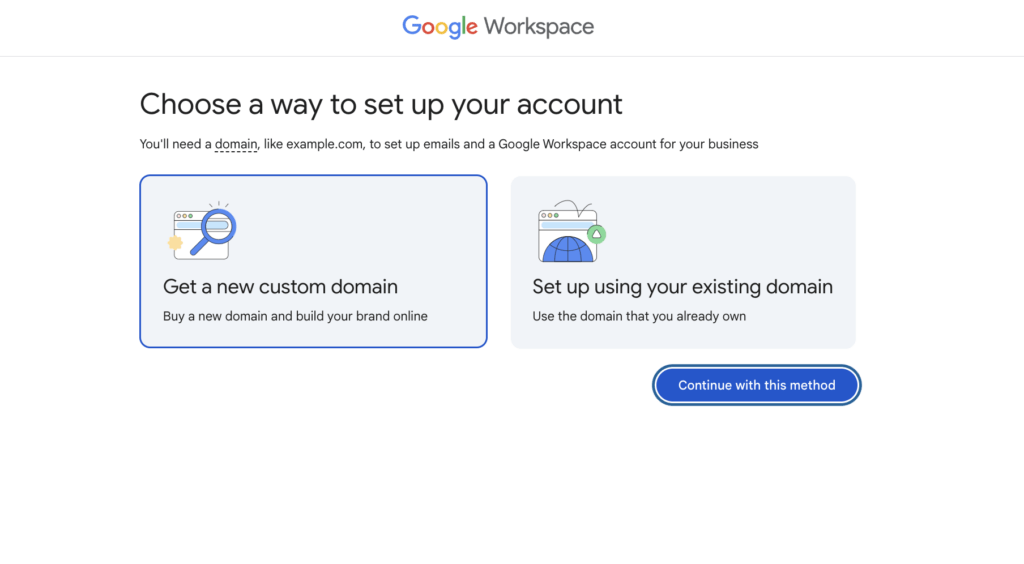

In today’s fast-paced business world, understanding what Google Workspace is and how it can transform your daily work is crucial. Formerly known as G Suite, Google Workspace is much more than just a collection of cloud applications. It offers a comprehensive bundle of tools like Gmail, Google Docs, Calendar, Meet, and Drive that seamlessly connect to improve productivity, communication, and collaboration whether you’re working from the office, home, or anywhere else.
This article will explore the core features of Google Workspace and explain how they contribute to modern business efficiency. Whether you’re a small team or a large organization, Google Workspace provides scalable, flexible solutions designed to streamline workflows and boost teamwork.
What Exactly is Google Workspace?
At its core, Google Workspace is a cloud-based productivity suite designed for businesses of all sizes. It integrates multiple tools into one cohesive digital environment. The real power lies not just in the individual apps, but in how they work together effortlessly to help teams stay connected and organized.
By adopting Google Workspace, companies gain access to a platform that supports real-time collaboration, simplifies task management, enhances communication, and protects data with enterprise-grade security. It breaks down barriers caused by remote work or dispersed teams, enabling seamless operations wherever employees are located.
1. Real-Time Collaboration Made Effortless
One of the standout capabilities of Google Workspace is enabling multiple users to work simultaneously on the same documents. Apps like Google Docs, Sheets, and Slides allow team members to edit files together live, eliminating the need for endless email versions and attachment confusion.
Changes save automatically, and collaborators can leave comments and suggestions instantly. This transparency helps reduce misunderstandings and speeds up project completion.
All you need is an internet connection to benefit from real-time collaboration, independent of the device you’re using — desktop, tablet, or smartphone. This is a big reason why Google Workspace is central to improving team productivity and communication in the digital age.
2. Professional Email and Integrated Calendar
The business-grade Gmail included with Google Workspace offers much more than a typical free email account. It provides the ability to create custom email addresses with your company’s domain—helping you present a polished brand image.
Plus, Gmail seamlessly connects to Google Calendar, allowing users to schedule meetings, set reminders, and share availability without leaving their inbox. This integration dramatically improves time management and organizational efficiency.
By leveraging this intertwined setup, Google Workspace helps businesses communicate swiftly and keep appointments on track — vital elements for any successful operation.
3. Secure Cloud Storage and File Sharing
Google Drive serves as the central storage hub within Google Workspace, hosting everything from documents to multimedia files in about any format. Storing files in the cloud enables instant access anywhere, anytime, without worrying about losing data due to hardware failures.
A crucial aspect is the flexible permissions system, which lets users control who can view, edit, or share each file or folder.
Security underpins Google Drive’s functionality, using multiple layers of protection to keep sensitive information safe. This combination of accessibility and strong security makes Google Drive an effective way to manage and protect business documents, elevating the overall trustworthiness of your workflows.
4. Video Calls and Remote Meetings with Google Meet
Google Meet is an essential part of Google Workspace that brings people together through high-quality video conferencing. Whether hosting internal team check-ins, client presentations, or online training sessions, Meet ensures smooth, secure virtual meetings.
Its direct integration with Google Calendar simplifies scheduling by letting organizers add Meet links to event invites, which then automatically appear in participants’ calendars.
Meet provides a reliable and easy-to-use platform for real-time communication regardless of participants’ physical locations, addressing the growing need for cohesive remote collaboration.
5. Task and Project Management Tools
Besides communication, managing tasks efficiently is fundamental for meeting deadlines and delivering projects. Google Workspace supports this via tools like Google Keep for notes, Google Tasks for simple lists, and third-party integrations such as Asana or Trello available through Workspace addons.
These apps help individuals and teams keep track of their to-dos, with notifications and reminders ensuring nothing falls through the cracks.
Understanding how to integrate these tools into daily routines empowers users to organize their workload better and enhances overall productivity.
6. User Administration and Compliance Control
For organizations with larger teams, Google Workspace’s admin console offers powerful controls to manage user accounts, set security policies, and monitor activity.
Administrators can enforce rules, handle permissions, and maintain oversight from a single dashboard. This allows IT departments or managers to combine flexibility with control, ensuring that sensitive data and systems remain protected while users access the necessary resources.
This governance capability is key when dealing with compliance requirements and maintaining organizational standards in dynamic business environments.
7. Automation and Tool Integration for Smarter Workflows
Google Workspace isn’t just a suite of isolated apps; it’s an extensible platform that supports process automation through Google Apps Script, APIs, and integrations with countless other software solutions.
This capability allows users to automate repetitive tasks like generating reports, syncing customer data with CRM systems, or collecting information via online forms that directly populate spreadsheets.
By automating workflows, businesses can speed up processes, reduce human error, and focus more on strategic activities rather than routine manual work.
Why Google Workspace is Essential for Modern Business
Now that we have unpacked what Google Workspace offers, it’s clear that it is much more than a simple set of productivity apps. It’s a complete digital ecosystem designed to support every aspect of business operation—from communication and collaboration to security and administration.
Its user-friendly design, cloud foundation, and constant updates mean teams can stay productive regardless of where or how they work. For businesses aiming to stay competitive, adopting Google Workspace is a step toward greater efficiency, better cooperation, and smoother digital transformation.
Summary
Google Workspace combines a robust collection of cloud-based tools tailored to meet modern business demands. With features like live collaborative documents, professional email with calendar integration, secure cloud storage, versatile videoconferencing, efficient task management, thorough administrative controls, and workflow automation, it helps organizations operate smarter and faster.
By understanding what Google Workspace is and how to harness its strengths, companies can enhance communication, improve time management, safeguard data, and streamline daily routines — all critical ingredients for success in today’s digital workplace.
Frequently Asked Questions
Q1: How does Google Workspace improve teamwork across different locations?
Google Workspace allows users to work on shared documents simultaneously in real-time, communicate via integrated chat and video meetings, and manage shared calendars. This interconnected environment removes barriers caused by distance and keeps everyone aligned through instant access and updates.
Q2: What security features does Google Workspace offer for business data?
Google Workspace secures data using multilayered protection, encrypted connections, access controls, and regular security updates. Administrators can set policies to control user permissions and monitor activity to prevent unauthorized access, ensuring confidential information stays safe in the cloud.
Q3: Can Google Workspace be customized to fit specific business needs?
Yes, with its support for Google Apps Script, APIs, and a wide range of third-party integrations, Google Workspace can be tailored to automate workflows, connect with CRM systems, generate customized reports, and integrate additional tools. This flexibility helps businesses optimize operations while using familiar apps.


Leave a Comment